本文是 5 部分教程系列的第 3 部分,介绍如何容器化和部署 Python Web 应用以Azure 应用服务。 在 第 2 部分中,你在本地构建并运行了容器映像。 本文介绍如何直接在 Azure 容器注册表 中生成相同的Python Web 应用,而无需在本地安装 Docker。 在 Azure 中生成映像通常比在本地生成更快、更轻松,然后将其推送到注册表。 基于云的映像生成还无需在开发环境中运行 Docker。
Azure 应用服务允许从 Docker 中心、Azure 容器注册表和 Azure DevOps 等平台使用 CI/CD 管道部署和运行容器化 Web 应用。 Docker 映像进入Azure 容器注册表后,即可将其部署到Azure 应用服务。
先决条件
在开始之前,请确保已完成 本系列教程的第 2 部分,其中包括:
- 克隆示例存储库(Django 或 Flask)。
- 为Azure资源创建资源组。
- 在本地运行容器化应用以验证它是否正常工作。
还需要:
- 一个处于活动状态的 Azure 订阅。 如果没有帐户,请创建一个免费帐户。
- 在本地安装Azure CLI(对于Azure CLI步骤),或访问Azure Cloud Shell。
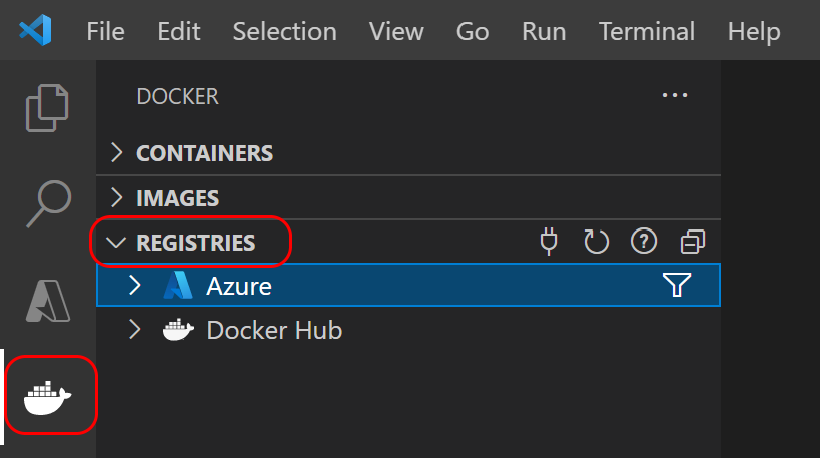
- 已安装 Docker 扩展 的 Visual Studio Code(用于 VS Code 步骤)。
重要
该示例 Dockerfile 使用 python:3.8-slim 作为基础镜像。
2024 年 10 月,Python 3.8 已达到生命周期结束,不再收到安全更新。 更新 Dockerfile 以使用 python:3.12-slim 或 python:3.13-slim 用于生产部署。
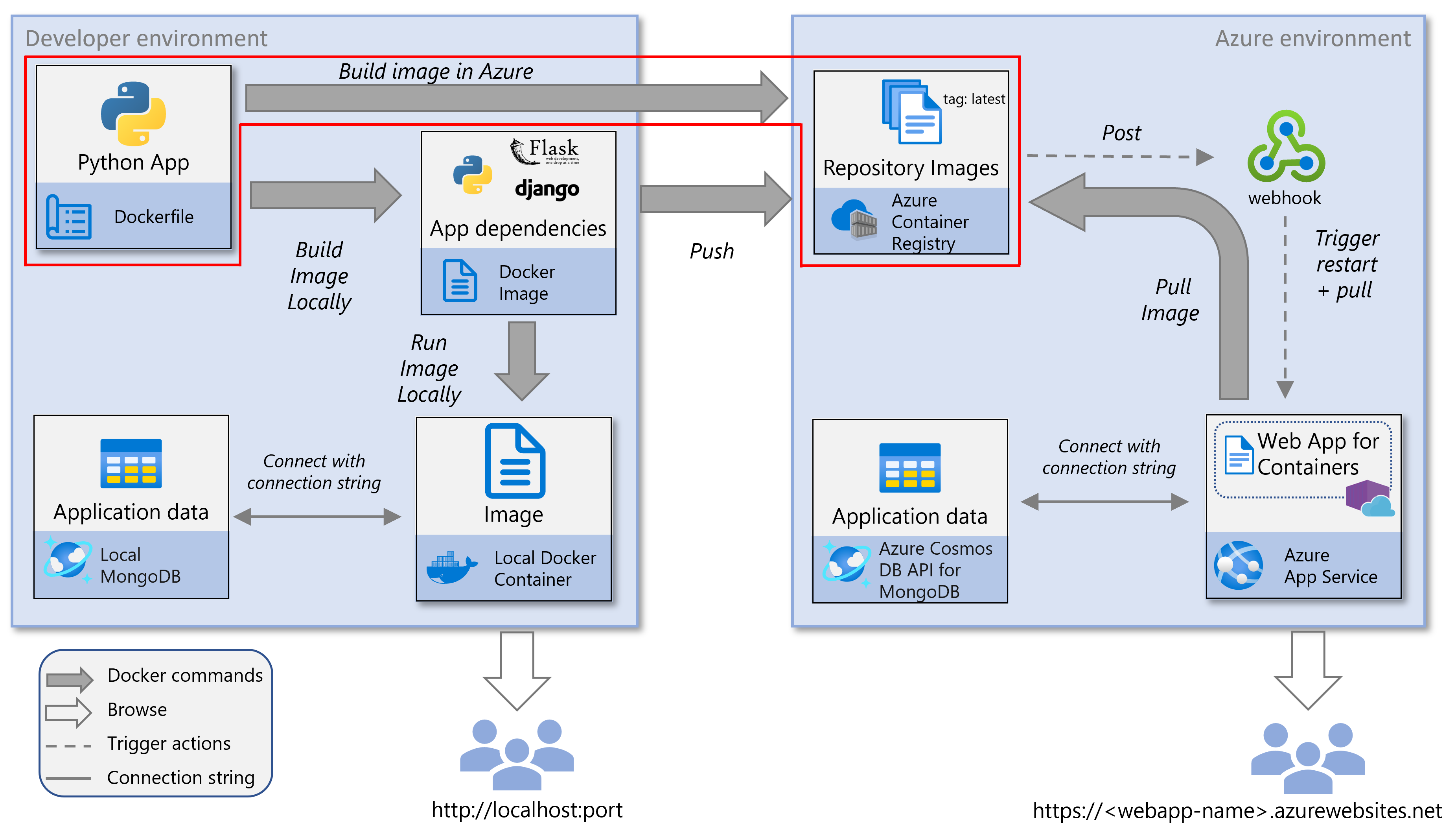
此服务关系图突出显示了本文中介绍的组件。
创建 Azure 容器注册表
如果已有Azure 容器注册表,请跳过此步骤,然后继续执行下一步。 否则,请使用Azure CLI创建新的Azure 容器注册表。
可以在Azure Cloud Shell或安装了Azure CLI的本地开发环境中运行Azure CLI命令。
注意
使用与本教程系列的第 2 部分相同的名称。
使用 az acr create 命令创建Azure容器注册表。
#!/bin/bash # Use the resource group that you created in part 2 of this tutorial series. RESOURCE_GROUP_NAME='msdocs-web-app-rg' # REGISTRY_NAME must be unique within Azure and contain 5-50 alphanumeric characters. # If the name is already taken, you'll receive an error. Choose a different name and retry. REGISTRY_NAME='msdocscontainerregistryname' echo "Creating Azure Container Registry $REGISTRY_NAME..." az acr create -g $RESOURCE_GROUP_NAME -n $REGISTRY_NAME --sku Standard在命令的 JSON 输出中,找到
loginServer该值。 此值表示完全限定的注册表名称(全部小写),并包含注册表名称。示例输出:
{
  "loginServer": "msdocscontainerregistryname.azurecr.io",
  "name": "msdocscontainerregistryname",
  ...
}
如果在本地计算机上使用Azure CLI,请运行 az acr login 命令以登录到容器注册表。
az acr login -n $REGISTRY_NAME该
-n参数接受短注册表名称(例如)msdocscontainerregistryname或完全限定的注册表名称(msdocscontainerregistryname.azurecr.io)。 该命令使用Azure CLI凭据通过Azure 容器注册表对 Docker 进行身份验证。预期输出:
Login Succeeded注意
如果使用Azure Cloud Shell,则无需运行
az acr login命令,因为Cloud Shell会话会自动处理身份验证。
在 Azure 容器注册表中生成映像
可以通过各种方法直接在 Azure 中生成容器映像:
- Azure Cloud Shell使你能够完全在云中构建映像,而独立于本地环境。
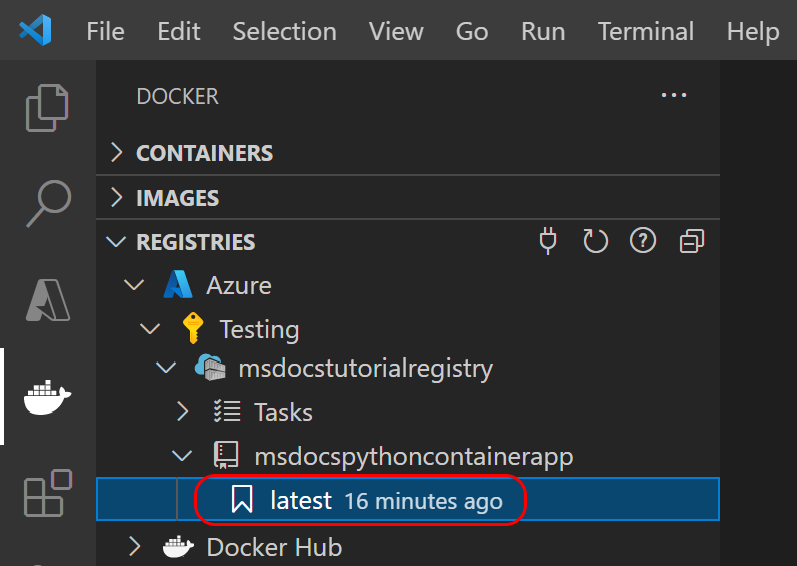
- 或者,可以使用 VS Code 或Azure CLI从本地设置Azure中创建映像,而无需在本地运行 Docker。
你可以在本地开发环境中使用已安装的 Azure CLI或在Azure Cloud Shell中运行 Azure CLI 命令。
在控制台中,从本教程系列的第 2 部分转到克隆存储库的根文件夹。
使用 az acr build 命令生成容器映像。
本地开发:
az acr build -r $REGISTRY_NAME -g $RESOURCE_GROUP_NAME -t msdocspythoncontainerwebapp:latest .Azure Cloud Shell:
如果使用Azure Cloud Shell,请指定GitHub存储库 URL 而不是本地路径(
.):# For Django sample: az acr build -r $REGISTRY_NAME -g $RESOURCE_GROUP_NAME -t msdocspythoncontainerwebapp:latest https://github.com/Azure-Samples/msdocs-python-django-container-web-app.git # For Flask sample: az acr build -r $REGISTRY_NAME -g $RESOURCE_GROUP_NAME -t msdocspythoncontainerwebapp:latest https://github.com/Azure-Samples/msdocs-python-flask-container-web-app.git最后一个参数(
.或 Git URL)是 Docker 生成上下文,该目录包含 Docker 用于生成映像的 Dockerfile 和应用程序文件。使用 az acr repository list 命令确认容器映像是否已创建。
az acr repository list -n $REGISTRY_NAME预期输出:
[
  "msdocspythoncontainerwebapp"
]